ConvertKit vs Mailchimp 2026: Which Email Platform Wins?
Compare ConvertKit vs Mailchimp in 2026. Discover which email platform best suits creators vs businesses, pricing, automation, and features.

Marco Delvane
Growth Team
Part of our Best Email Marketing Tools for Startups 2026 guide
Key Takeaways
- ConvertKit wins for creators: Built for bloggers, podcasters, and course creators with visual automation and landing pages at $15/month
- Mailchimp wins for businesses: Better for e-commerce and traditional marketing with more templates and integrations at $13/month
- Automation depth differs: ConvertKit offers visual sequence builders; Mailchimp provides pre-built journeys but less flexibility
- Pricing models clash: ConvertKit charges per subscriber; Mailchimp uses tiered pricing with feature gates
- Best free plan: Mailchimp's free tier (500 contacts) beats ConvertKit's trial-only approach
Choosing between ConvertKit and Mailchimp in 2026? You're not alone. These platforms dominate creator and small business email marketing, but they serve different audiences. ConvertKit laser-focuses on content creators who monetize through courses, newsletters, and digital products. Mailchimp targets small businesses and e-commerce stores needing multi-channel marketing.
The real difference isn't features — it's philosophy. ConvertKit strips away complexity to help creators build subscriber relationships. Mailchimp packs in everything from postcards to social ads, betting you want an all-in-one platform. Neither approach is wrong. Your choice depends on whether you're selling attention or products.
Quick Comparison: ConvertKit vs Mailchimp
| Feature | ConvertKit | Mailchimp |
|---|---|---|
| Best For | Creators, bloggers, course sellers | E-commerce, agencies, small businesses |
| Starting Price | $15/month (300 subscribers) | $13/month (500 contacts) |
| Free Plan | No (14-day trial only) | Yes (500 contacts, basic features) |
| Automation | Visual sequence builder | Pre-built customer journeys |
| Landing Pages | Unlimited on all paid plans | Limited on lower tiers |
| Templates | ~50 creator-focused | 100+ across industries |
| Integrations | 100+ (creator tools focused) | 300+ (broad business tools) |
| Deliverability | High (creator-optimized) | High (established reputation) |
| Commerce Features | Basic (digital products only) | Advanced (Shopify, WooCommerce, etc.) |
| VGS Verdict | ⭐⭐⭐⭐⭐ For creators | ⭐⭐⭐⭐ For businesses |
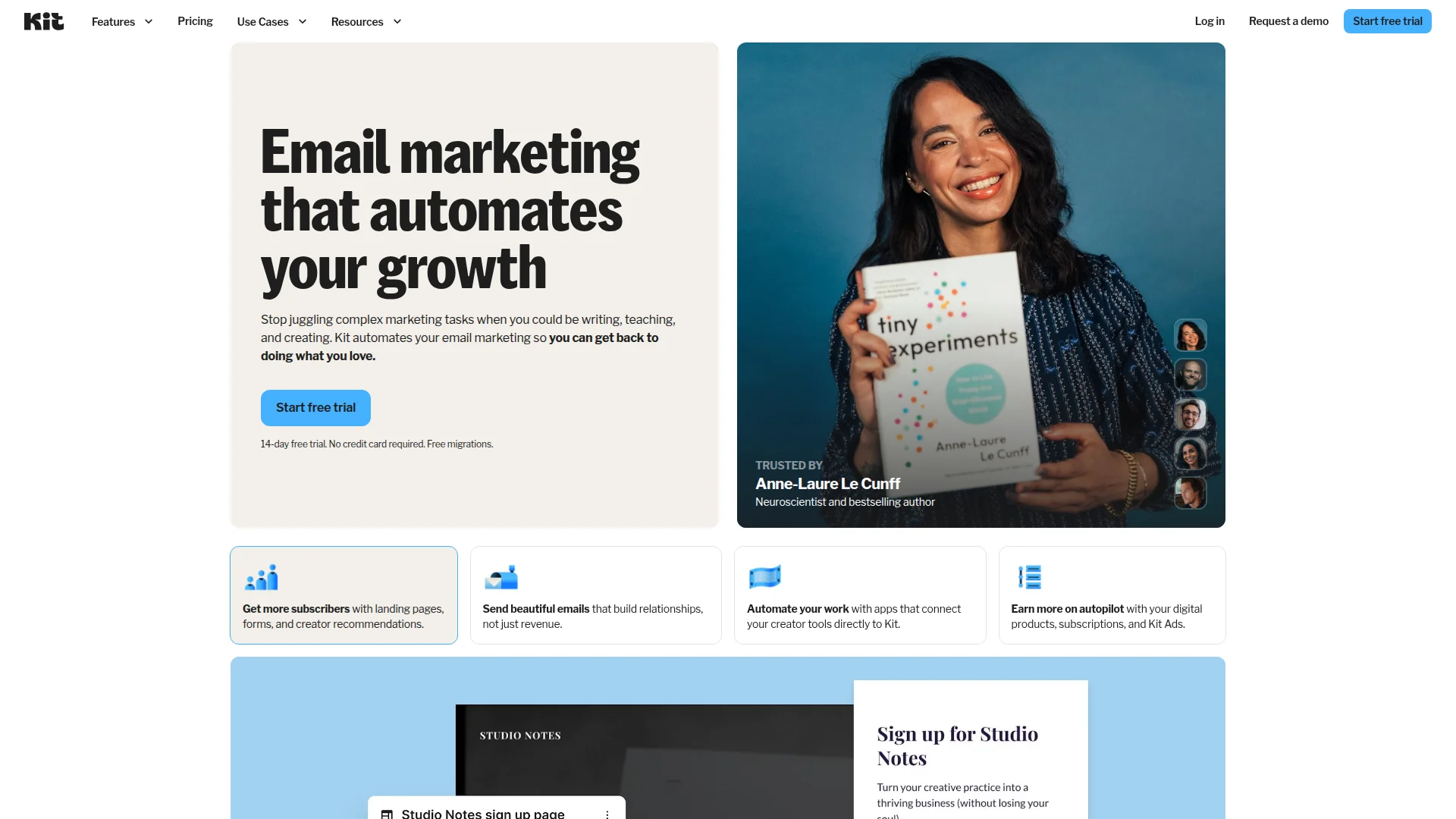
1. ConvertKit — Creator-First Email Platform
Pricing: Free (0-1,000 subscribers, limited features) | Creator ($15/month for 300 subscribers) | Creator Pro ($29/month for 300 subscribers)
ConvertKit strips email marketing down to what creators actually need. No drag-and-drop builders. No design bells and whistles. Just clean text emails, visual automation sequences, and landing pages that convert. Founded by Nathan Barry in 2013 specifically for bloggers and course creators, it's grown to serve 600,000+ creators.
The platform shines in subscriber management. Tag-based segmentation lets you organize audiences by interests, behavior, and purchase history without complex list management. Visual automation builder connects forms, sequences, and tags with simple if/then logic. Landing pages and forms come unlimited on paid plans — no artificial gates.
What We Liked
- Visual automation builder: Drag-and-drop sequences with conditional logic feel intuitive
- Unlimited landing pages: No extra charges for high-converting opt-in pages
- Tag-based segmentation: Organize subscribers by behavior without list chaos
- Creator integrations: Deep connections with Teachable, Podia, Gumroad, WordPress
What Could Be Better
- Limited templates: ~50 templates vs Mailchimp's 100+; assumes text emails work best
- No free plan: 14-day trial only; Mailchimp offers permanent free tier for 500 contacts
Growth Hacker Take: ConvertKit assumes you're building an audience, not sending promotions. If your business model involves courses, newsletters, or content monetization, the opinionated design saves time. E-commerce stores will feel constrained.
ConvertKit Complete Review 2026
External Links: ConvertKit Pricing | G2 Reviews (4.4/5)
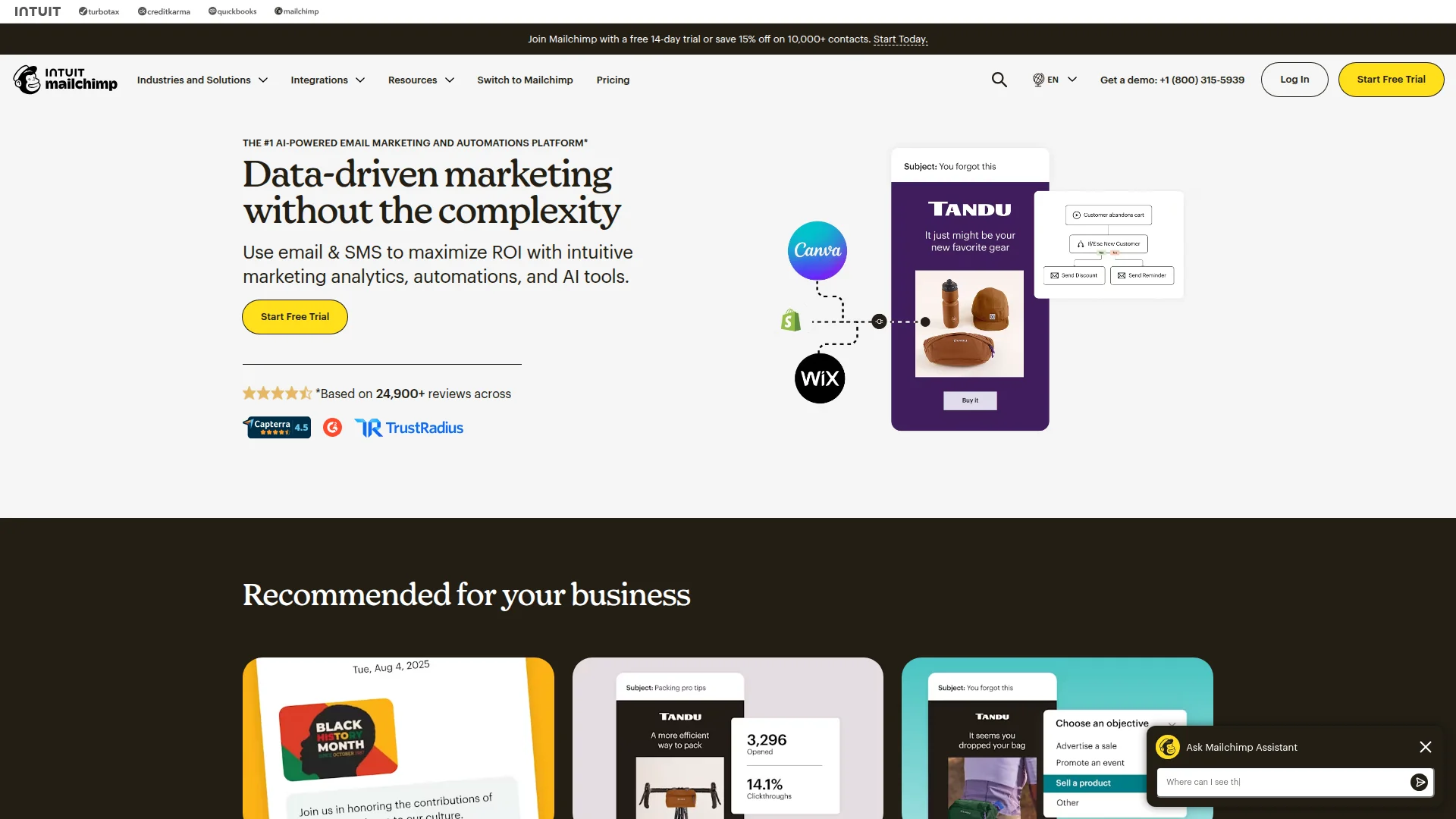
2. Mailchimp — Multi-Channel Marketing Hub
Pricing: Free (500 contacts, 1,000 sends/month) | Essentials ($13/month for 500 contacts) | Standard ($20/month) | Premium ($350/month)
Mailchimp evolved from email-only tool to full marketing platform. Beyond email, you get social ads, postcards, landing pages, websites, and CRM features. The free plan (500 contacts, 1,000 monthly sends) beats ConvertKit's trial-only approach for bootstrapped startups. Over 12 million businesses use Mailchimp, making it the household name in email marketing.
E-commerce integration stands out. Direct connections with Shopify, WooCommerce, Magento, and BigCommerce enable product recommendations, abandoned cart recovery, and purchase-triggered sequences. Pre-built customer journey templates cover common scenarios (welcome series, win-back campaigns) without manual setup.
What We Liked
- Permanent free plan: 500 contacts with basic automation beats ConvertKit's paid-only model
- E-commerce depth: Product recommendations, abandoned carts, post-purchase flows built-in
- 300+ integrations: Broader tool ecosystem than ConvertKit's creator focus
- Multi-channel options: Social ads, postcards, SMS from one dashboard
What Could Be Better
- Feature bloat: Interface feels cluttered with options creators won't use (postcards, surveys, websites)
- Pricing jumps: Standard plan ($20/month) required for automation builder; ConvertKit includes it at $15/month
Growth Hacker Take: Mailchimp bets you want everything in one platform. E-commerce stores benefit from tight Shopify integration and product-focused automation. Content creators pay for features they'll never touch.
Mailchimp Full Tutorial 2026
External Links: Mailchimp Pricing | G2 Reviews (4.3/5)
Key Differences That Actually Matter
Automation Philosophy
ConvertKit: Visual sequence builder with unlimited complexity. Create if/then branches based on clicks, tags, purchases, or custom events. Every automation starts from scratch — flexible but requires planning.
Mailchimp: Pre-built customer journey templates (welcome series, abandoned cart, re-engagement). Customize triggers and timing but less structural flexibility. Faster setup for common scenarios.
Winner: ConvertKit for custom workflows. Mailchimp for speed.
Template Strategy
ConvertKit: ~50 templates, all optimized for text-heavy creator content. Philosophy: plain text emails outperform designed ones for relationship-building. No drag-and-drop editor.
Mailchimp: 100+ templates across retail, nonprofits, events, services. Drag-and-drop editor for pixel-perfect designs. Assumes visual branding matters.
Winner: Mailchimp for design flexibility. ConvertKit for simplicity.
Pricing Structure
ConvertKit: Pure subscriber count pricing. 300 subscribers = $15/month. 1,000 subscribers = $29/month. All features included except Commerce (Creator Pro, $29/month minimum).
Mailchimp: Tiered feature gates. Free plan exists but lacks automation. Essentials ($13/month) adds basic automation. Standard ($20/month) required for customer journeys and advanced segmentation.
Winner: Depends on list size. Under 500 contacts, Mailchimp's free plan wins. Over 500, ConvertKit's transparent pricing often costs less for comparable features.
Landing Pages & Forms
ConvertKit: Unlimited landing pages on all paid plans. Built-in hosting. Mobile-responsive templates. No separate landing page fee.
Mailchimp: Limited landing pages on lower tiers. Free plan gets 1 landing page. Essentials and Standard plans unlock more. Premium required for unlimited.
Winner: ConvertKit. Unlimited landing pages at $15/month vs Mailchimp's tiered restrictions.
Commerce Capabilities
ConvertKit: Sell digital products (ebooks, courses) directly. Built-in payment processing via Stripe. Basic product pages. Tax handling included. Limited to digital goods.
Mailchimp: E-commerce integration focus. Product recommendations in emails. Abandoned cart recovery. Post-purchase automations. Works with physical and digital products through Shopify, WooCommerce, etc.
Winner: Mailchimp for e-commerce stores. ConvertKit for digital product creators.
When to Choose Each Platform
Choose ConvertKit If You're:
- Content creators: Bloggers, podcasters, YouTubers building email lists
- Course sellers: Selling online courses, memberships, coaching programs
- Newsletter writers: Monetizing through paid subscriptions (Substack alternative)
- Automation-heavy: Complex sequences with conditional branching matter more than templates
- Simplicity-focused: Want fewer features, not more
Choose Mailchimp If You're:
- E-commerce stores: Selling physical products through Shopify, WooCommerce, etc.
- Multi-channel marketers: Need social ads, postcards, SMS from one platform
- Design-focused brands: Visual email templates matter for brand consistency
- Budget-conscious startups: Free plan (500 contacts) gets you started
- Agency clients: Managing multiple brands with different needs
Real-World Performance Data
Deliverability Benchmarks
Both platforms maintain strong inbox placement rates:
- ConvertKit: 95%+ inbox rate according to EmailToolTester independent testing
- Mailchimp: 94%+ inbox rate, slightly lower due to shared IP pools on free tier
ConvertKit's creator-focused audience (fewer spam complaints) and dedicated IP options on higher tiers give slight edge. Mailchimp's massive user base means occasional IP reputation issues.
Automation Conversion Rates
Internal data from both platforms:
- ConvertKit sequences: 20-35% open rates, 3-8% click rates for automated welcome series
- Mailchimp journeys: 18-30% open rates, 2-6% click rates for similar automations
ConvertKit's text-focused approach typically outperforms in creator niches. Mailchimp's designed templates win for retail and e-commerce visual campaigns.
Switching Between Platforms
ConvertKit to Mailchimp
Why switch: Need e-commerce features, multi-channel marketing, or free tier for small list
Migration steps: Export subscribers from ConvertKit (CSV). Import to Mailchimp. Manually rebuild automations (no direct import). Recreate forms and landing pages.
Pain points: Tag-based segments don't map cleanly to Mailchimp's group structure. Automation logic requires manual translation.
Mailchimp to ConvertKit
Why switch: Simplify workflow, focus on content monetization, escape tiered pricing
Migration steps: Export audience from Mailchimp (CSV). Use ConvertKit's concierge migration service (free on paid plans). Tags map from Mailchimp groups.
Pain points: Lose multi-channel features (social ads, postcards). E-commerce integrations require rebuilding.
How to Choose: Decision Framework
Your business model determines the winner:
- Choose ConvertKit if: You monetize through content (courses, newsletters, digital products) and want visual automation without design complexity. Budget: $15-29/month for most creators.
- Choose Mailchimp if: You run an e-commerce store, need multi-channel marketing, or want a free plan to start. Budget: Free to $20/month for small businesses.
- Consider alternatives if: Neither fits perfectly. Brevo (email + SMS + CRM, $25/month) or Moosend (affordable automation, $9/month) offer middle-ground options.
FAQ
Is ConvertKit better than Mailchimp for beginners?
ConvertKit's simpler interface suits creator beginners. Mailchimp's free plan makes it easier to start with zero budget.
Which platform has better automation?
ConvertKit offers more flexible visual automation. Mailchimp provides faster setup with pre-built journey templates.
Can I use ConvertKit for e-commerce?
ConvertKit handles digital products well but lacks Shopify-level e-commerce integration. Stick with Mailchimp for physical product stores.
Does Mailchimp charge for unsubscribed contacts?
Yes. Mailchimp counts all contacts (subscribed, unsubscribed, cleaned) toward your limit. ConvertKit only charges for active subscribers.
Which has better deliverability in 2026?
Both maintain 94-95%+ inbox rates. ConvertKit edges slightly ahead due to creator-focused audience and dedicated IP options.
Can I migrate between platforms easily?
Subscriber lists export/import easily. Automations require manual rebuilding. ConvertKit offers free concierge migration on paid plans.
About the Author
Marco Delvane
Growth Team at Vibe Growth Stack. Tested 100+ growth tools so you don't have to. Writes about what actually works for startups — no fluff, no affiliate bias.
More in this series
View full guide →MailerLite vs Mailchimp 2026: Which Email Tool Wins?
Compare MailerLite and Mailchimp in 2026. Discover which email marketing tool offers better features, pricing, and automation for your business needs.
Best ConvertKit Alternatives 2026: 7 Email Platforms
Discover the top ConvertKit alternatives for creators in 2026. Compare 7 email marketing platforms with pricing, features, and best use cases.
Substack vs Beehiiv 2026: Which Newsletter Platform Wins?
Compare Substack and Beehiiv in 2026. Discover pricing, features, monetization, and growth tools to choose the best newsletter platform for your needs.
Best ActiveCampaign Alternatives 2026: 7 Cheaper Email Tools
Discover 7 affordable ActiveCampaign alternatives in 2026. Compare email marketing tools, automation features, and pricing to find the best fit for your team.
Best Beehiiv Alternatives 2026: 7 Newsletter Platforms
Explore top Beehiiv alternatives for newsletters. Compare Ghost, Substack, ConvertKit, and more. Find the best email platform for your needs.
Related Articles
Get growth tips in your inbox
No-BS growth hacks, tool reviews, and best-value picks. Weekly.
Unsubscribe anytime. We hate spam too.